Whole business, one place

See your entire business at a glance with EasyRakh

Khata, daily cash, GST invoices, and your dashboard—together in one workspace, so you always know how the business stands.

Satisfied customers

10+

Growing weekly

Tracked this month

₹18.4 Cr

Cash in/out recorded

Setup time

Under 5 min

Import & start tracking

Today’s cash position

₹3,20,750

+₹18,940 today

Raj Traders

Payment received

+₹12,500
Money inToday, 9:10 AM

Metro Supplies

Paid for inventory

-₹7,800
Money outYesterday, 5:42 PM

GST Payment

Quarterly tax

-₹3,200
Money out12 May, 10:00 AM

Online Orders

Settlement received

+₹18,940
Money inToday, 7:55 AM

Rent (March)

Office & warehouse

-₹14,000
Money out01 Mar, 9:00 AM

UPI - Arjun

Short-term advance

+₹2,500
Money in28 Feb, 6:20 PM
On-time payouts
Attach bills & notes to every entry

Powerful features

Built for real shop bookkeeping

Ask questions in plain language, keep ledgers and cash in sync, use charts and GST invoices, export PDFs, attach bills, and stay backed up in the cloud—without noisy clutter.

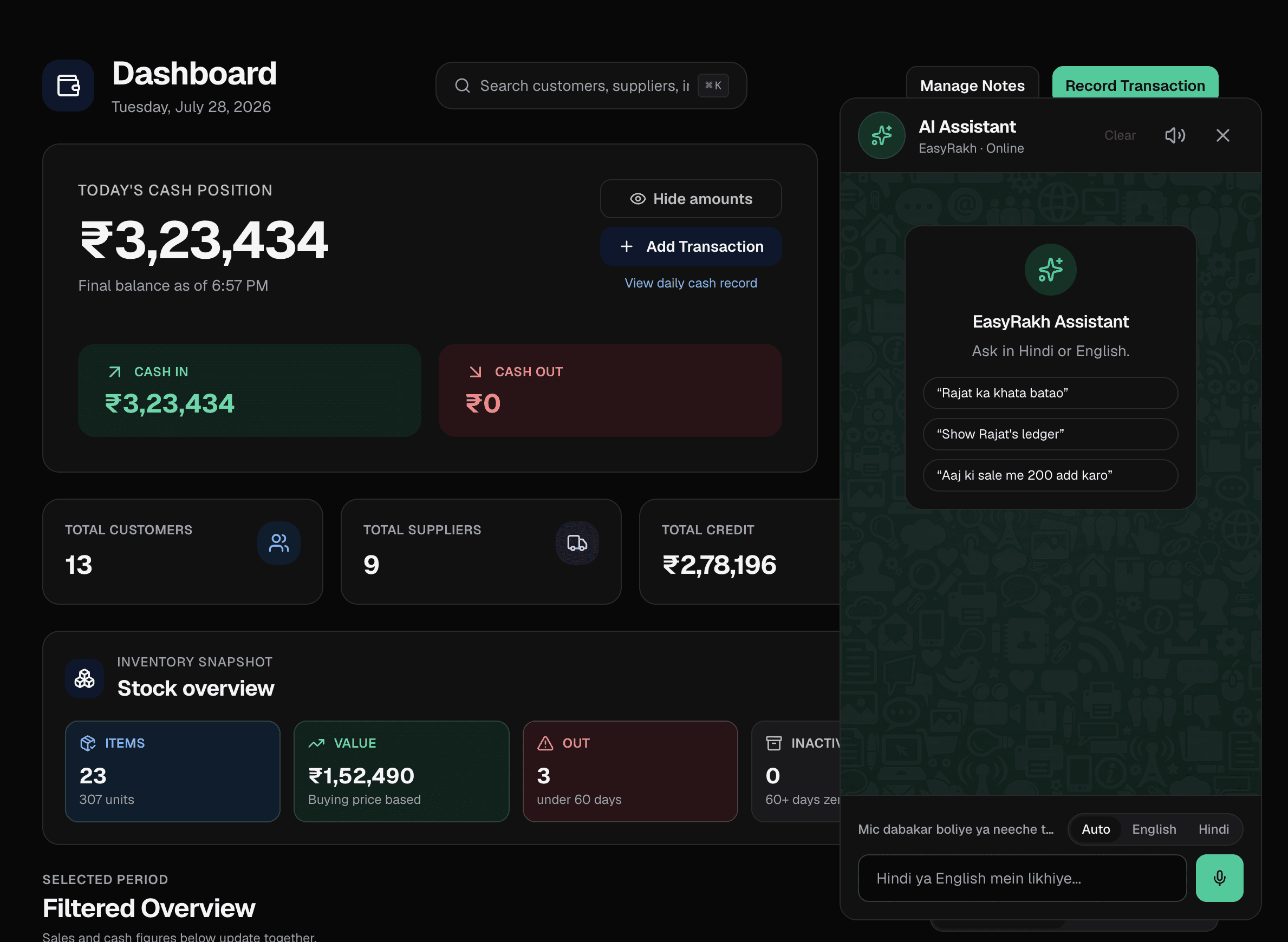
Ask your khata—instant answers from live data

Type in Hindi or English and get balances, today’s cash in and out, and who owes the most—without opening ledgers or running reports. Answers pull from your real books so you spend less time hunting numbers.

  • Party balance with last entry context and invoice counts when it matters
  • Daily cash summary: money in, money out, net, and how many lines make up the day
  • Rankings like top outstanding parties on demand—same screen, no tab switching

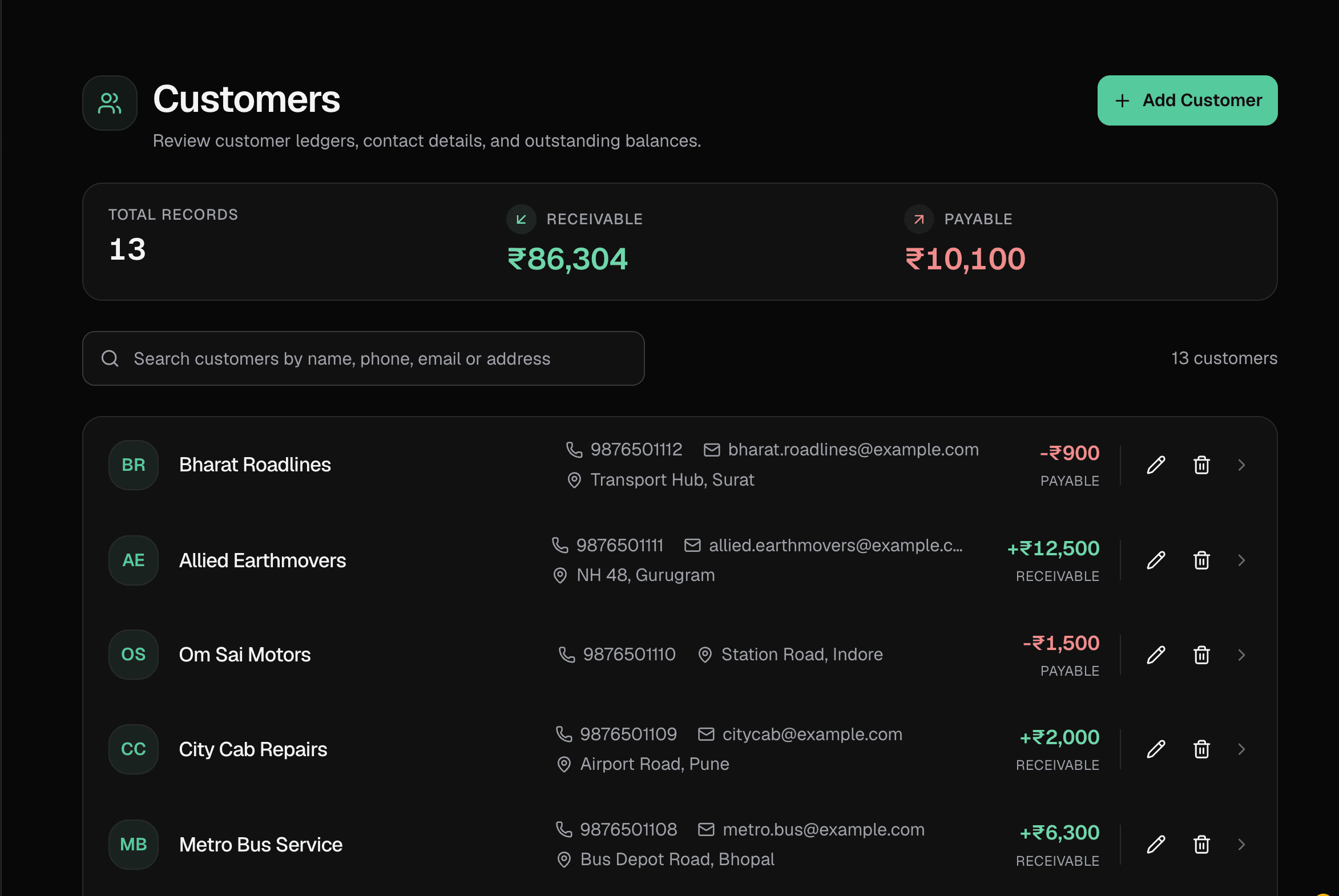
Ledger maintenance: customers, suppliers & custom parties

Run every khata in one system—buyers, vendors, and anything else you track as a party. Custom entities let you model real life: for example staff salary advances, a workshop vehicle account, or rent for a godown—each with its own running balance and history.

  • Dedicated maintenance for customer and supplier ledgers with dated credit and debit lines
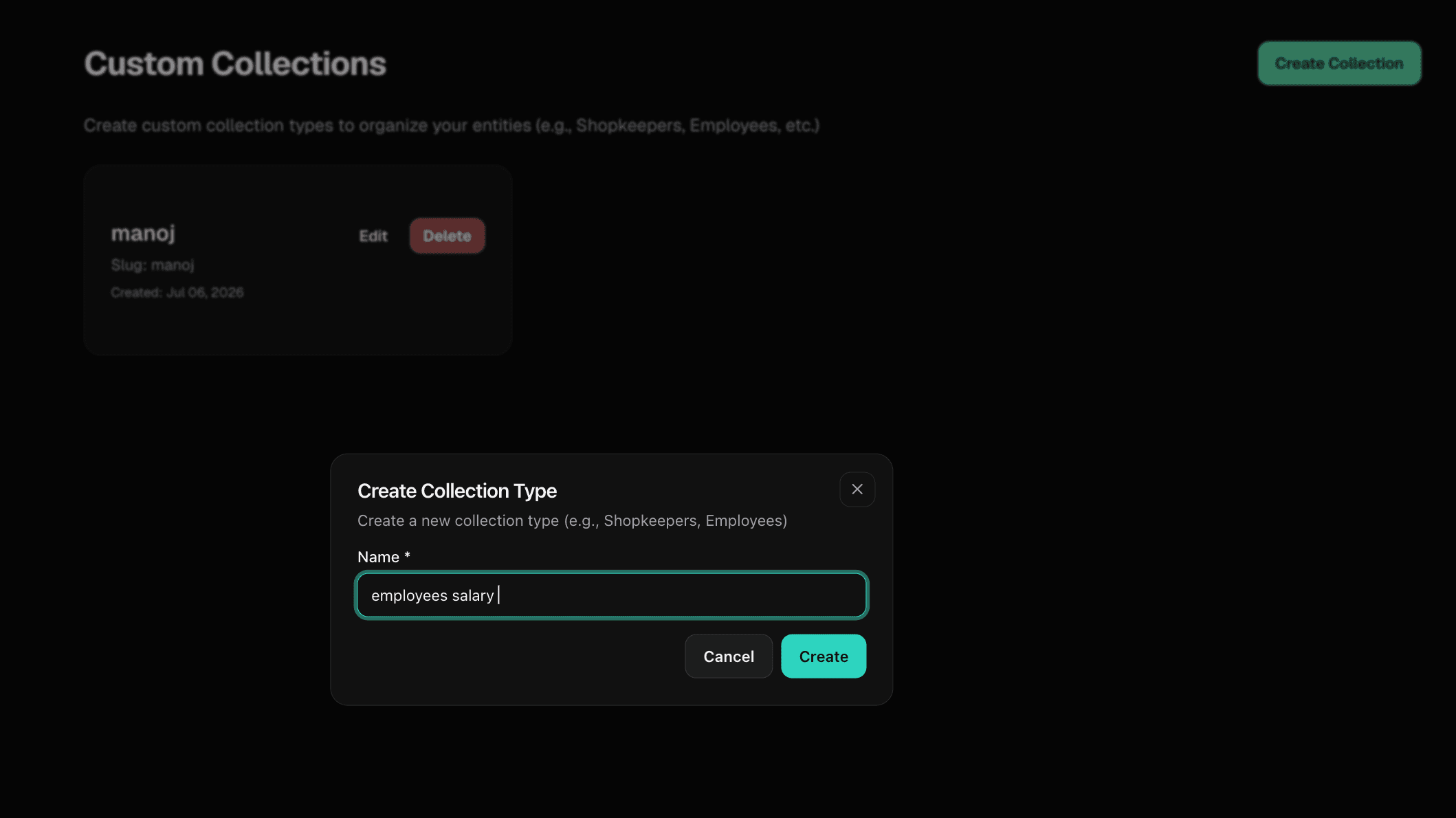
  • Custom collection types and entities that behave like any other party on the books
  • Attach bill images or PDFs to transactions so every movement has a paper trail

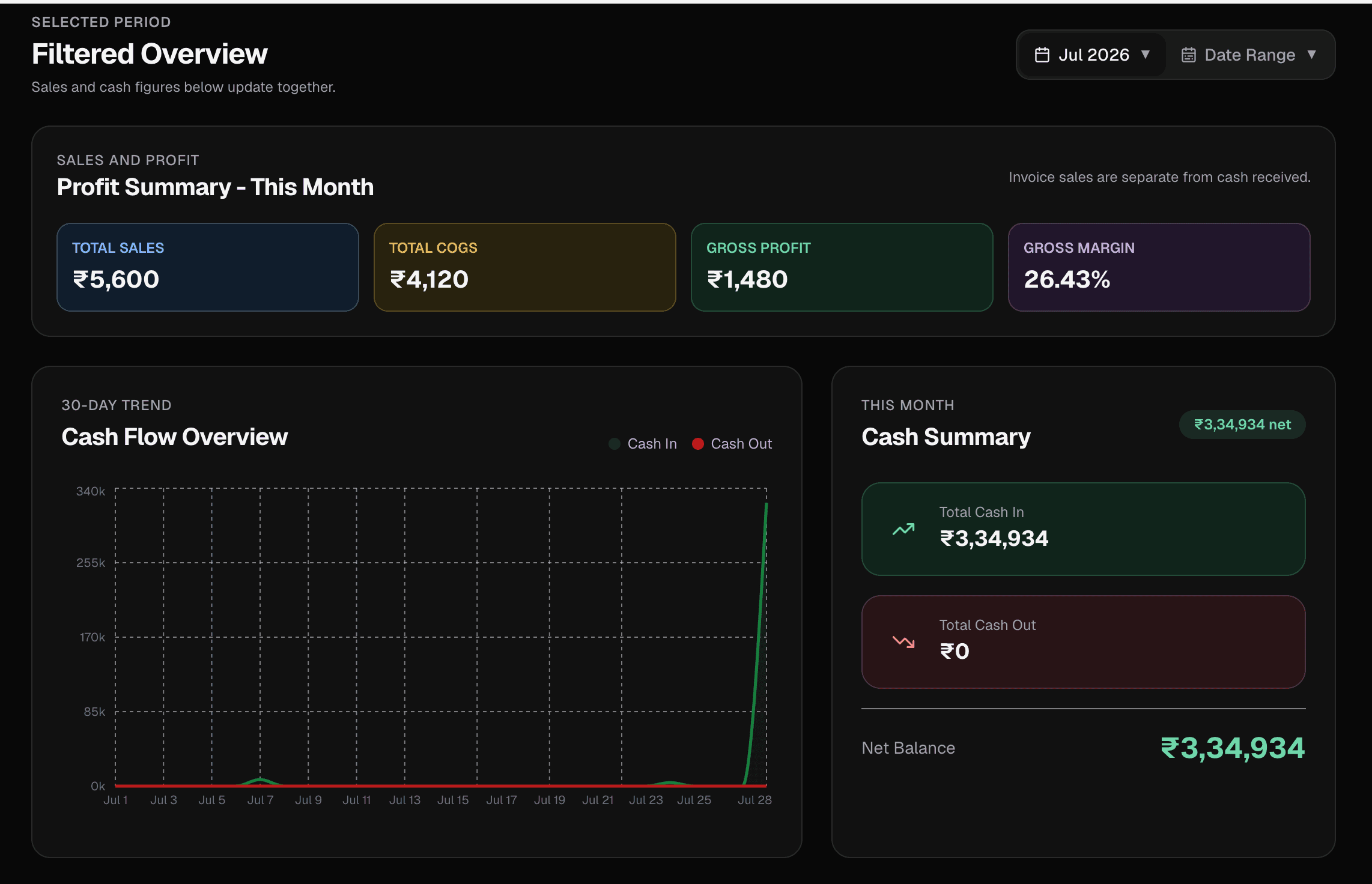
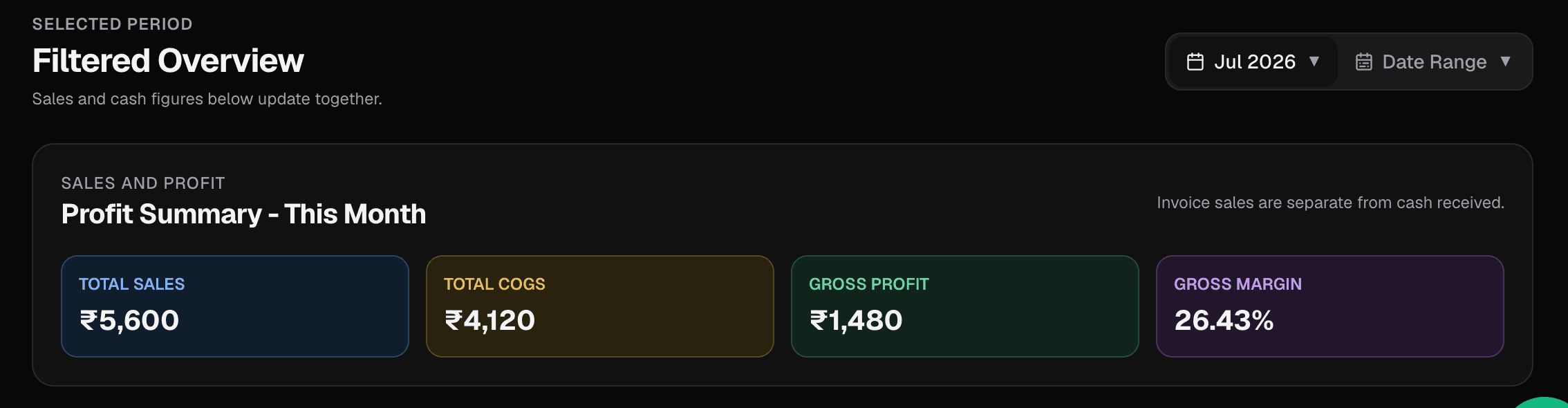
Graphs for better visualization

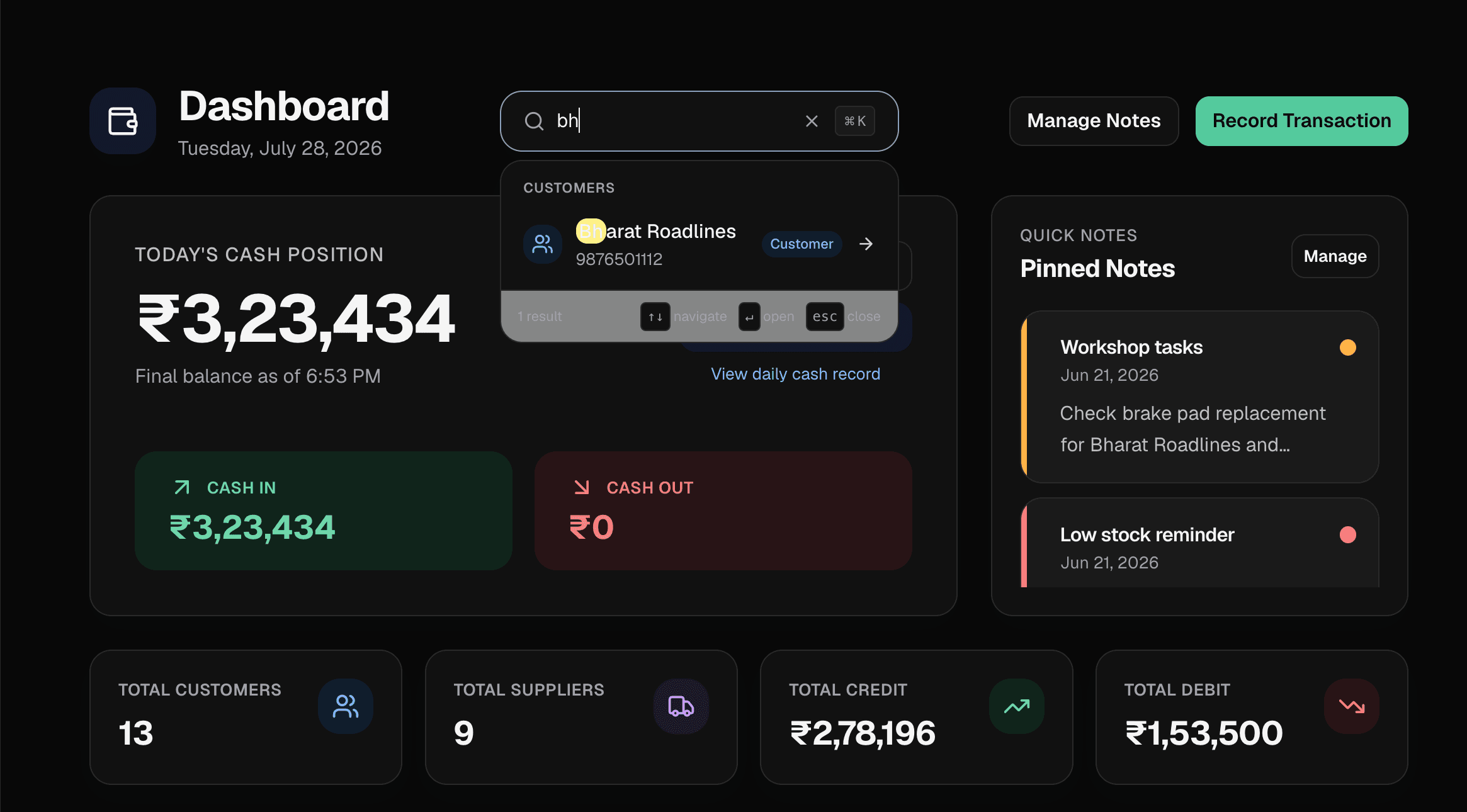
The dashboard turns your month into pictures: cash-in and cash-out trends, headline totals, and quick context like top movers—so you spot patterns faster than scrolling rows alone.

  • Monthly trend chart for money in vs money out
  • Summary tiles and net position for the current period
  • Leaderboard-style views to see which customers or suppliers moved the most

Simpler UI everywhere—no fluff

Screens reuse the same patterns whether you are on ledger, cash, or invoices: clear labels, obvious primary actions, and no gimmicks. The goal is to enter data fast and get out—especially when customers are waiting.

  • Consistent layouts across dashboard, lists, and forms
  • Large touch targets and readable type on phone and desktop
  • Straight paths to “add entry”, “open ledger”, and “download PDF” without digging

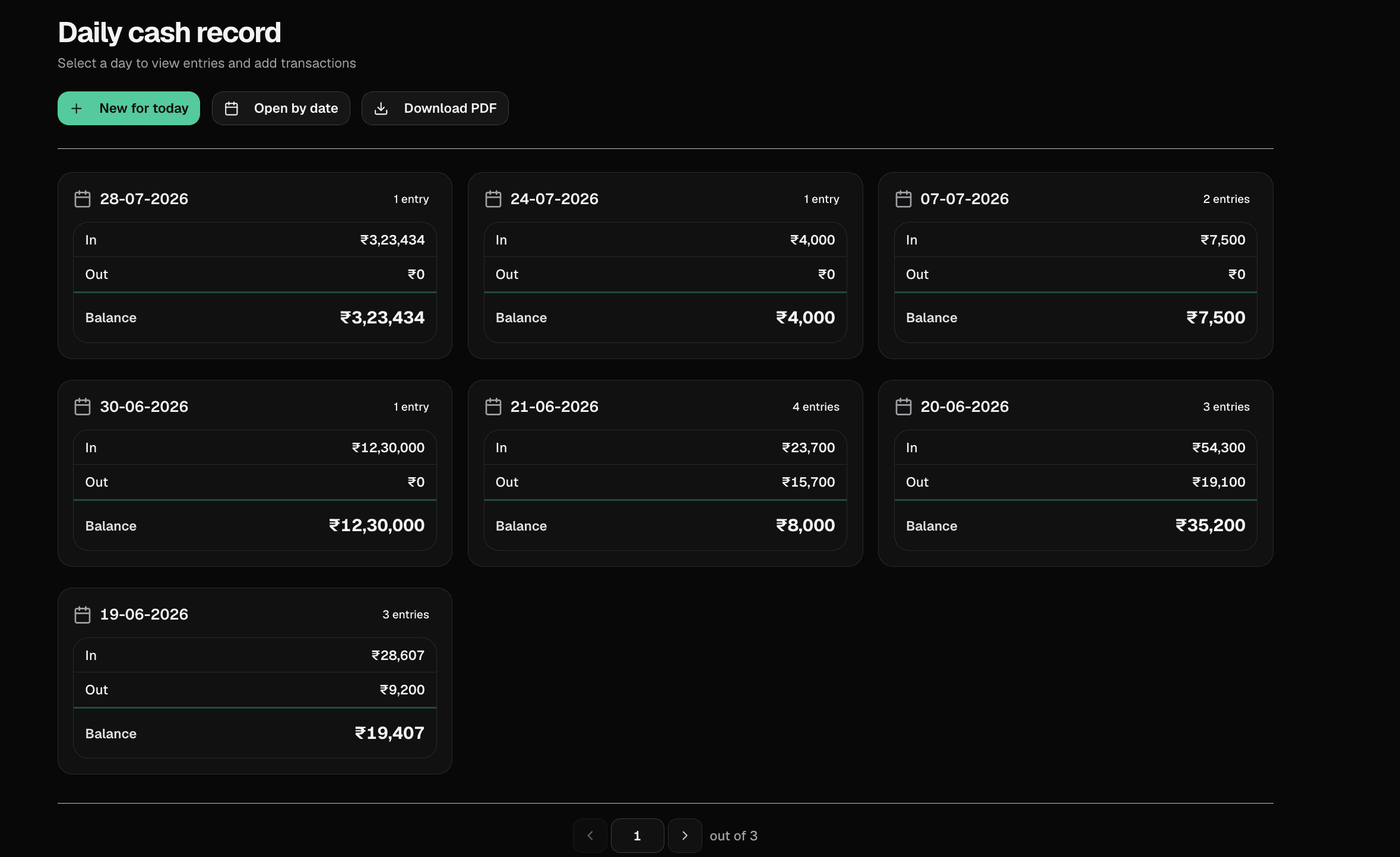
Daily cash record & past months

Track the physical drawer separately from party credit. Log each day’s cash in and out, attach bills to lines when needed, and page back through prior days and months to review spending and spot trends.

  • Day-by-day cash in / out with running balance for the register
  • Browse and open historical records so last month’s expenses stay visible
  • Optional receipt upload on cash entries, same as the main ledger

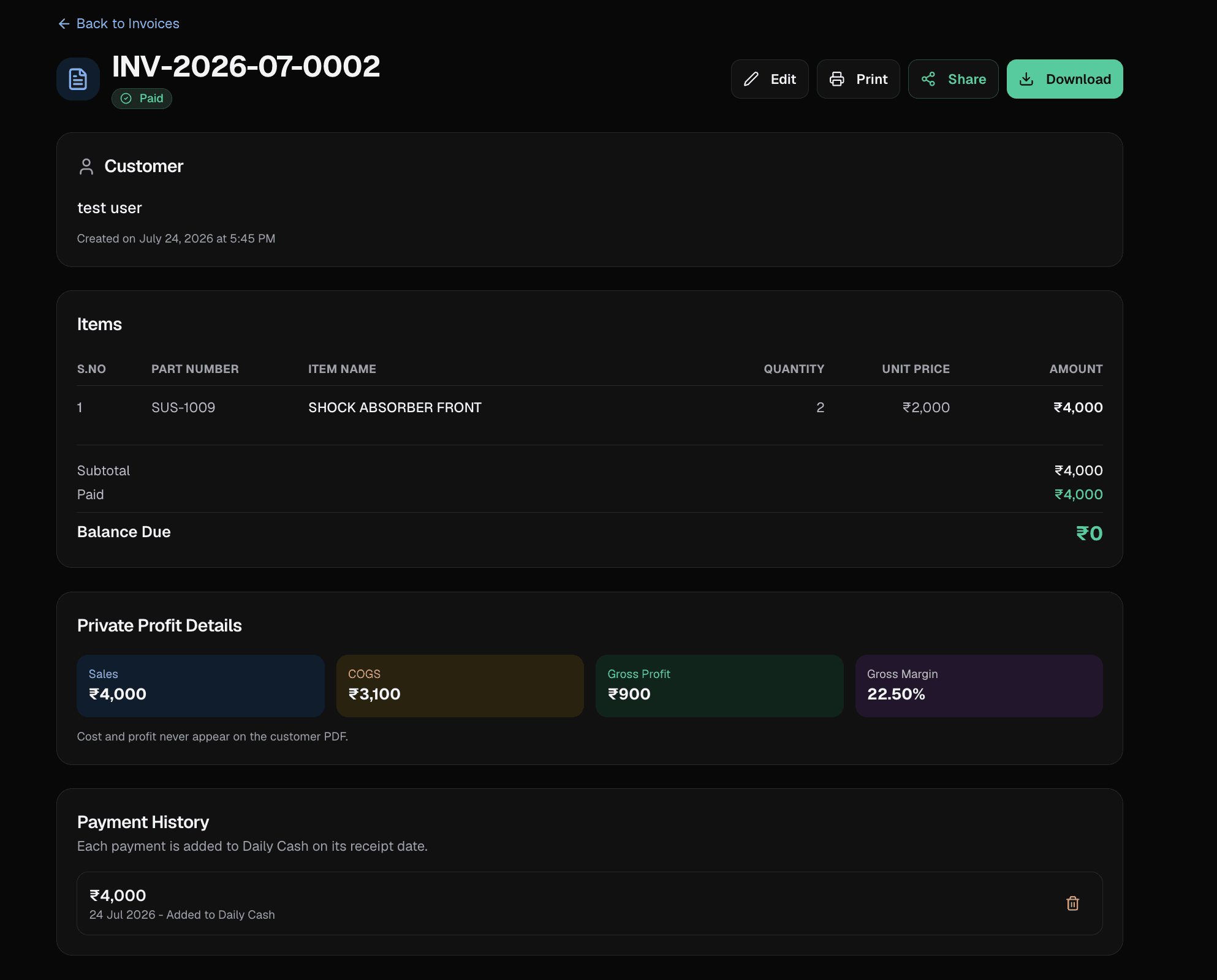
Invoices with GST, firm details & PDF download

Capture your firm name, GST number, address, and contact details at registration (and refine them later). Invoices pull that context into a professional layout with line items, totals, and status—then you can download a ready-to-send PDF.

  • Firm title, GST number, phone, email, and address for compliant-looking bills
  • Line items, totals, and paid / partial / unpaid tracking per invoice
  • Download invoice as PDF for printing or sending on WhatsApp, email, or any channel you use

Ledger PDF: download, print & share

Any party ledger can be exported as a formatted PDF—complete with firm header when you fill it in. Save the file and share it the same way you would a photo: WhatsApp, email, drive, or print for the file cabinet.

  • Print or download running-balance statements straight from the ledger screen
  • PDF output you can hand to accountants or partners
  • Works alongside bill attachments so proof and summary travel together

Notes for what you must not forget

Keep verbal promises, stock reminders, and follow-ups out of your head. Pin the urgent notes to the dashboard so they stay visible until you clear them.

  • Dedicated notes space away from transaction noise
  • Pin important items so they show on the dashboard at login
  • Edit or archive as tasks move forward

Cloud data & protected passwords

Your ledgers, invoices, and uploads live in the cloud—not only on one phone—so you can sign in from another device and pick up where you left off. Passwords are never stored in readable form: they are protected with secure one-way hashing.

  • Access the same books from mobile or desktop with a single account
  • Data hosted in the cloud—your books are not trapped on one handset or PC
  • Sign-in secrets are hashed, not saved as plain text—so a database read never exposes your password

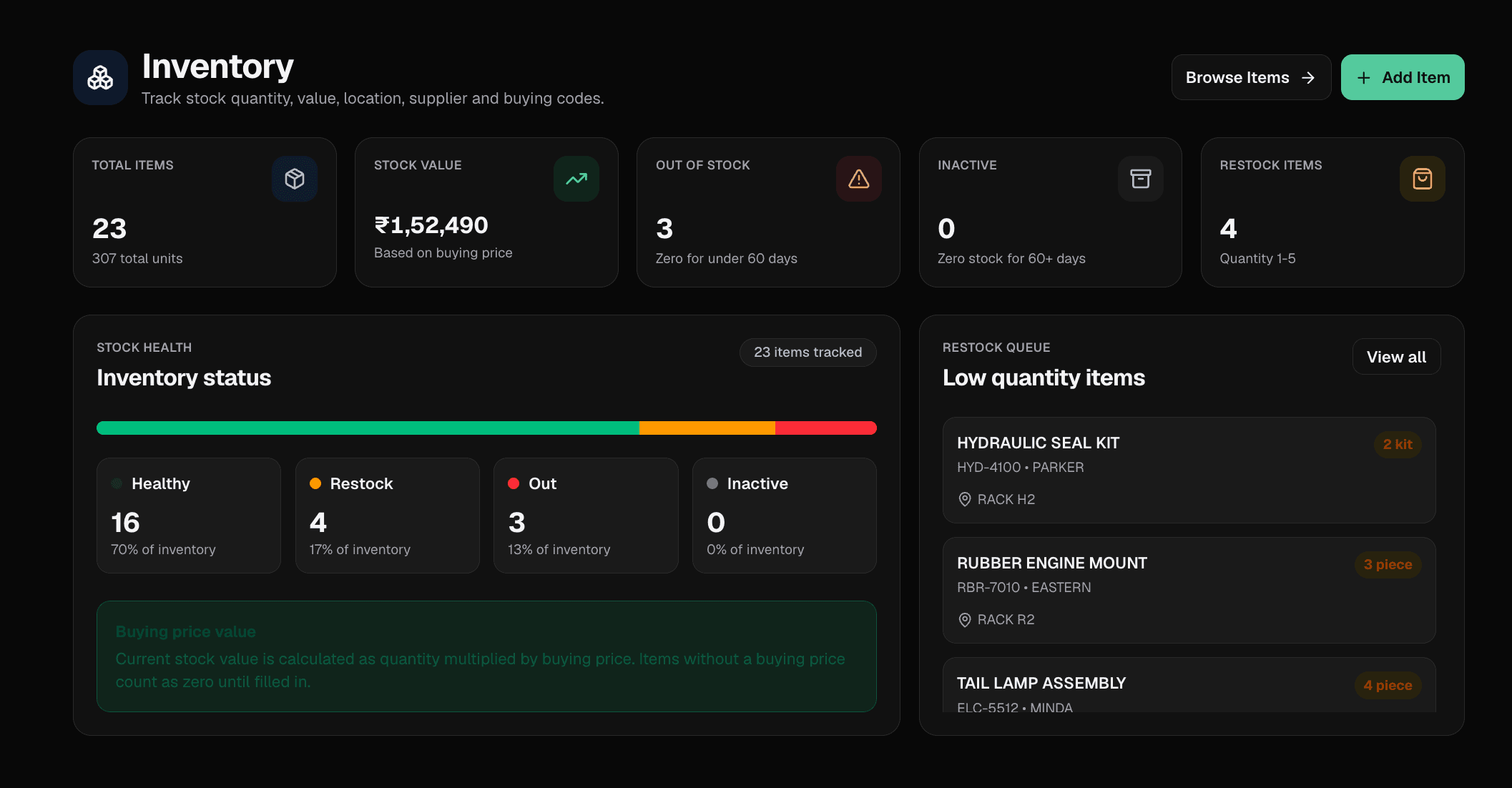
Also included

Shortcuts and workflows that make the core features faster day to day.

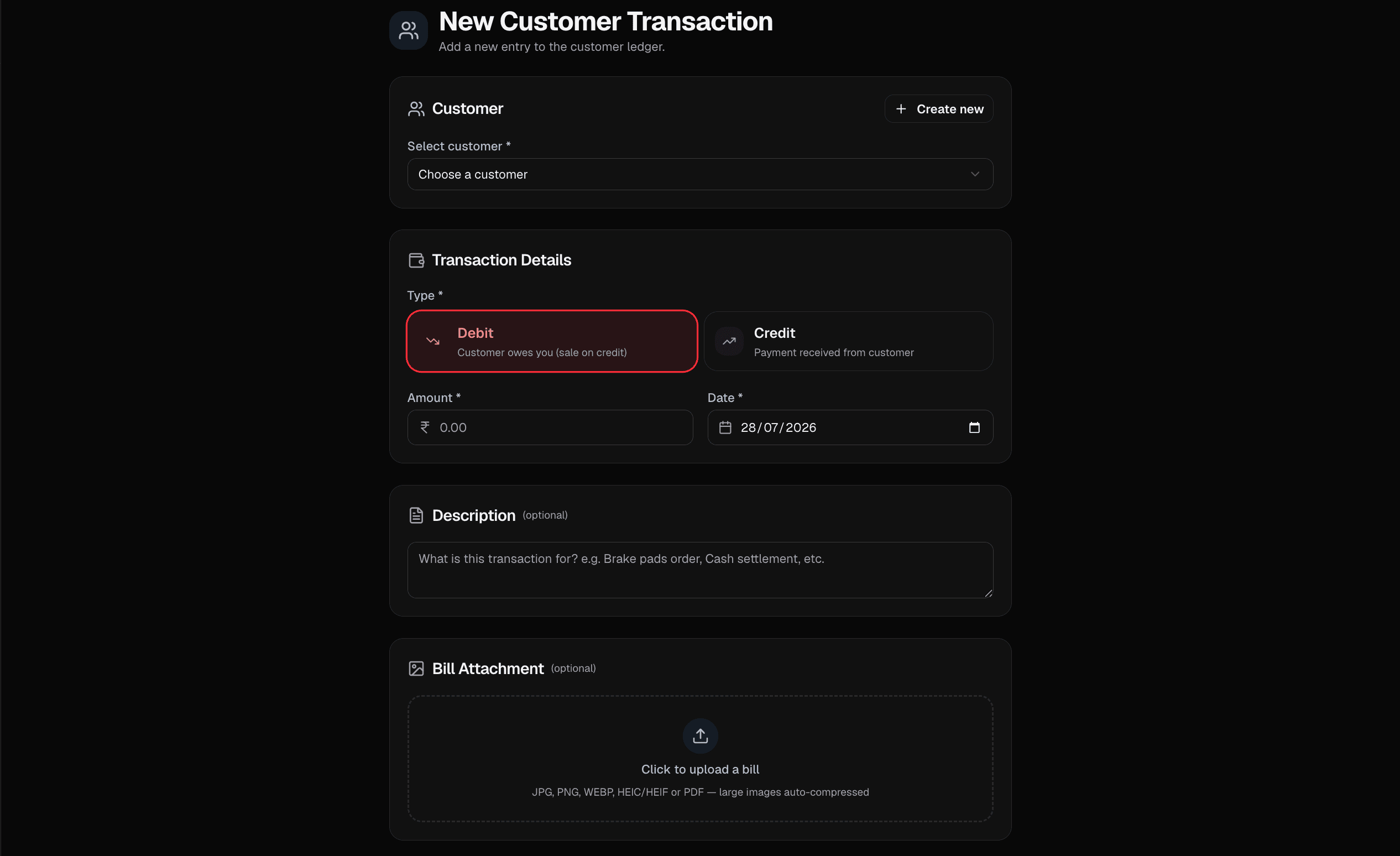
Single “new transaction” screen

Record credit or debit for any party from one place, with optional bill upload on the same save.

Create parties on the fly

Add a customer, supplier, or collection entity mid-flow without losing the transaction you started.

Global search

Jump straight to a customer, supplier, collection record, or invoice from the search bar.

Fix ledger lines

Edit or remove incorrect entries when amounts or dates need a correction.

Opening balances

Start each party with the right opening credit or debit before new entries roll in.

Invoice settles into khata

When an invoice is paid, push the amount into the customer ledger so balances stay honest.

Collection types

Define your own buckets—then open each list from the sidebar and manage types in one place.

Works at the counter

Mobile drawer navigation and a layout tuned for quick taps between ledger, cash, and invoices.

Simple Process

How EasyRakh Works

Add Contacts

Add your customers and suppliers in seconds. Create profiles to keep track of everyone you do business with.

Record Transactions

Log credits, debits, and daily cash entries. It’s as simple as writing it in a notebook, but safer.

Track Balance

See your net cashflow instantly. Know exactly how much you owe and how much is owed to you.

Free Forever

Everything you need to manage your business finances.

₹0/month
  • Unlimited transactions
  • Unlimited customers & suppliers
  • Secure cloud backup
  • Mobile & Desktop access
  • Daily cash reports
  • Upload invoices and receipts
  • Download reports and statements

No hidden fees. No ads. Just simple, honest bookkeeping tool to help your business grow.

Get Started for Free

Trusted by Businesses

What our users say

"EasyRakh has completely changed how I manage my shop's credit. No more lost notebooks or forgotten payments."

R

Rajesh Kumar

Kirana Shop Owner

"The daily cash record feature is a lifesaver. I can finally tally my cash drawer in minutes instead of hours."

P

Priya Sharma

Boutique Owner

"Simple, fast, and secure. Exactly what a small business needs without any complicated accounting jargon."

A

Amit Patel

Wholesale Trader

"I love that I can access it from my phone. I can check balances even when I'm away from the shop."

S

Suresh Reddy

Hardware Store Owner

Common Questions

Frequently Asked Questions

Contact

Need to talk to us?

We reply quickly with the details you share below.

support@easyrakh.com